How to Use a Bionaire Air Purifier: Guide
Getting started with your Bionaire air purifier is surprisingly simple. You’ll want to ensure it’s in a good location and understand its basic controls. Most users find setting up their Bionaire air purifier involves just a few straightforward steps to start breathing cleaner air right away. We found that proper placement can really boost its effectiveness.
Understanding how your Bionaire works helps you get the most out of it. It’s designed to capture common airborne irritants like dust and pollen. Knowing the basic functions and filter maintenance will make a big difference in your home’s air quality. Many users are surprised by how quickly they notice cleaner air when they use it correctly, and we found that consistent use is key.
- Place your purifier in a central location.
- Know your model’s basic controls.
- Check the filter status regularly.
- Understand basic maintenance needs.
Ready to get your Bionaire running? Let’s walk through exactly how to set it up and start enjoying cleaner air in your home.
Getting Your Bionaire Air Purifier Up and Running
So, you’ve unboxed your new Bionaire air purifier and are eager to breathe easier. That’s fantastic! Let’s walk through the simple steps to get it set up and working its magic in your home. We found that most Bionaire models are designed for quick and easy setup, so you’ll be enjoying cleaner air before you know it.
Choosing the Perfect Spot for Your Purifier
Where you place your Bionaire makes a big difference in how well it cleans your air. Think of it like putting a plant in a sunny spot – it thrives best with the right conditions. You want to give it plenty of room to work.
Key Placement Tips
- Central Location: Experts often recommend placing your air purifier in a central area of the room you use most often. This helps the air circulate more effectively.
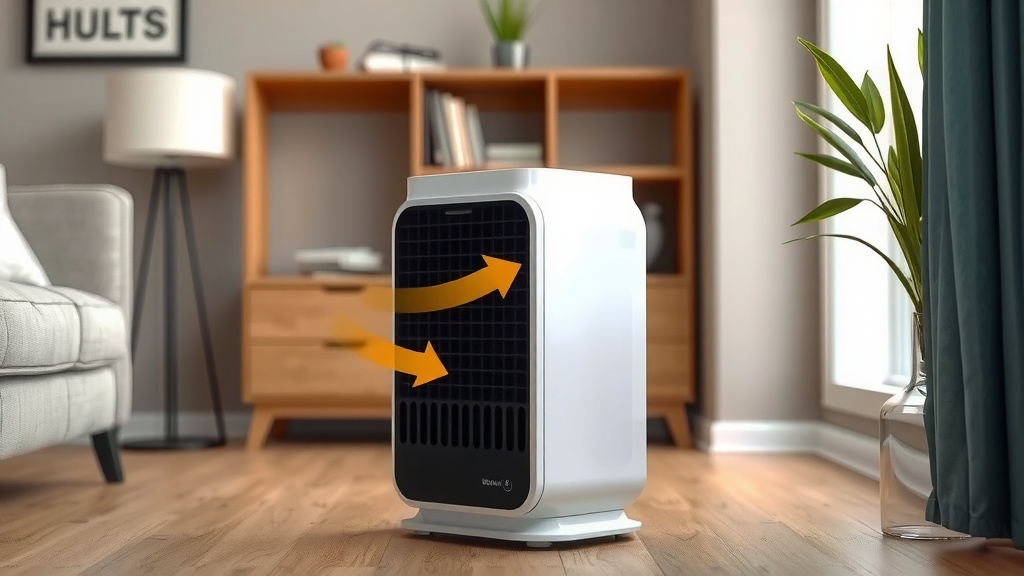
- Away from Obstructions: Make sure there’s at least a foot of clear space around all sides of the unit. Don’t push it against a wall or furniture. This allows for proper airflow.
- Avoid High-Humidity Areas: While not strictly forbidden, it’s best to avoid placing your Bionaire in bathrooms or laundry rooms where humidity is very high.
- Stable Surface: Set your purifier on a flat, stable surface. This prevents it from tipping over and ensures it operates smoothly.
Understanding Your Bionaire’s Controls
Every Bionaire model has a control panel, and while they might look a little different, the basic functions are usually very similar. You’ll find that operating it is quite intuitive.
Common Controls and Settings
Most Bionaire purifiers feature controls for fan speed, timer functions, and filter indicators. Let’s break them down:
- Fan Speed: You’ll typically see settings like Low, Medium, and High. Lower speeds are quieter and use less energy, ideal for overnight use. Higher speeds clean the air faster but are noisier. We found that using the medium setting strikes a good balance for daily use.
- Timer: Many models include a timer function. This lets you set the purifier to run for a specific number of hours before automatically shutting off. It’s handy for when you leave the house or want it to run overnight.
- Filter Indicator: This is a lifesaver! It alerts you when it’s time to check or replace your filters. Don’t ignore this light; it’s there to ensure your purifier keeps working efficiently.
- Sleep Mode (on some models): Some units have a special sleep mode that dims the lights and runs the fan at its quietest setting. Perfect for bedrooms.
The Importance of Bionaire Filters
The heart of your Bionaire air purifier is its filter system. These filters are what actually capture those airborne particles. Think of them as the lungs of the machine.
Types of Filters You Might Find
Bionaire purifiers typically use a combination of filters:
- Pre-filter: This is usually a washable mesh layer that captures larger particles like pet hair and dust bunnies. It helps protect the main filters.
- HEPA Filter: This is the workhorse, designed to capture 99.97% of airborne particles as small as 0.3 microns. This includes things like pollen, mold spores, and dust mites.
- Activated Carbon Filter: This filter helps to remove odors, smoke, and VOCs (Volatile Organic Compounds) from the air. It’s great for homes with pets or smokers.
Checking and Replacing Your Filters
This is one of the most critical maintenance steps. Your Bionaire’s performance hinges on clean filters. Many manufacturers, including Bionaire, recommend filter checks every few months.
When the filter indicator light comes on, or if you notice a decrease in air quality, it’s time to investigate. You can usually find filter replacement information specific to your model in your user manual. We found that replacing filters promptly can significantly improve air purification performance.
Basic Operation and Maintenance Checklist
Once your purifier is set up and you understand the controls, daily operation is a breeze. Consistency is key to seeing the best results.
Your Quick-Start Checklist
- Initial Placement: Did you put it in a central spot with space around it?
- Power On: Plug it in and turn it on. Start with a medium fan speed.
- Timer Setting: If you want to use the timer, set it for your desired duration.
- Filter Check Reminder: Make a note to check your filters in 1-3 months.
- Listen and Observe: Does it sound right? Is air coming out of the top?
Keeping Your Bionaire Clean and Efficient
Beyond filter replacement, a little regular cleaning keeps your Bionaire running smoothly. This isn’t complicated; it’s more about dusting and wiping.
Simple Cleaning Steps
Before cleaning, always unplug your air purifier. You don’t want any accidental surprises!
- Exterior Wipe Down: Use a soft, damp cloth to wipe down the outside of the unit. This removes dust and keeps it looking nice.
- Grille Cleaning: Many Bionaire models have grilles that can be gently removed. Check your manual. You can often vacuum these or wipe them clean.
- Pre-filter Care: If your model has a washable pre-filter, rinse it under cool water and let it dry completely before reinserting. This can often be done monthly.
Regular, light maintenance ensures your Bionaire is always ready to tackle your home’s air. Many experts note that clean appliances simply last longer and perform better (Cleveland Clinic).
Troubleshooting Common Issues
Most of the time, your Bionaire will work without a hitch. But if you run into a small problem, here are a few common things to check.
When Things Seem Off
Unit Won’t Turn On: First, ensure it’s securely plugged into a working outlet. Check your circuit breaker. If it still won’t power on, contact Bionaire customer support.
Reduced Airflow: This is almost always a sign of clogged filters. Your air purifier is working hard, and the filters need attention. Check or replace them.
Unusual Noises: A slight hum is normal. If you hear loud rattling or grinding, unplug the unit immediately. Check for any obstructions near the fan or ensure filters are seated correctly. If the noise persists, contact support.
Odor from the Unit: A new filter might have a slight scent initially, which usually dissipates quickly. If a persistent or unpleasant odor comes from the unit itself, it could indicate a problem with the carbon filter or another component. Check filter installation or contact Bionaire.
Conclusion
You’re now well-equipped to get the best performance from your Bionaire air purifier. We’ve covered everything from finding the perfect spot to understanding your unit’s controls and the vital role of filters. Remember that consistent use and basic maintenance, like cleaning the exterior and checking filters, are key to ensuring your purifier keeps your air fresh.
Don’t forget to consult your specific model’s manual for detailed instructions. With a little attention, your Bionaire will be a reliable partner in creating a healthier home environment. Ready to breathe easier? Power it on and enjoy cleaner air today!
Frequently Asked Questions
How often should I replace my Bionaire air purifier filters?
You should aim to replace your Bionaire filters based on the filter indicator light or typically every 6 to 12 months. For HEPA and carbon filters, consult your user manual as usage patterns can affect lifespan. Check them more often if you have pets or allergies.
Can I leave my Bionaire air purifier running 24/7?
Yes, most Bionaire air purifiers are designed for continuous operation. Leaving it on ensures consistent air purification throughout the day. Just be mindful of energy usage on higher fan settings.
My Bionaire air purifier seems noisy. Is this normal?
A low hum is normal for air purifiers, especially on higher fan speeds. If you notice loud rattling or grinding, unplug the unit and check for obstructions. Ensure the filters are correctly seated as well.
How do I clean the exterior of my Bionaire air purifier?
Always unplug the unit before cleaning. Use a soft, damp cloth to wipe down the exterior surfaces. For washable pre-filters, rinse them under cool water and allow them to dry completely before reinstallation.
What does the filter indicator light mean on my Bionaire?
The filter indicator light signals that it’s time to check or replace your air purifier’s filters. This is crucial for maintaining optimal performance and air quality. Refer to your manual to understand if it requires cleaning or replacement.